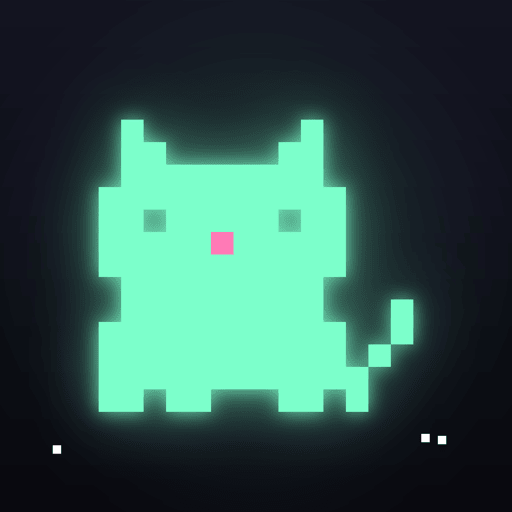
A glowing pixel-art buddy that lives in your iPhone's Dynamic Island and Lock Screen, reacts to what your phone is doing — and doubles as a friendly Screen Time guard that nudges you off YouTube and Instagram before the day slips away.
Coming soon on the App Store Free to download · iPhone · 31 languagesPick one of 7 pals — cat, duck, ghost, cactus, slime, bunny or frog — give it a name and dress it up with accessories
Cute on the outside, a surprisingly firm screen-time coach on the inside
Your pal shows up in the Dynamic Island and on the Lock Screen as a Live Activity, glowing quietly while you use your phone.
Set a daily limit for apps like YouTube or Instagram. Your pal gives you a heads-up 5 minutes before, then reminds you — or locks the apps until midnight.
Really need it? Take 3 more minutes once a day after a short pause to think it over — or turn on Strict mode so there are no extra minutes at all.
Start a focus session from 15 minutes up to 3 hours. The apps you pick stay locked while a countdown runs in the Dynamic Island.
Your pal goes to sleep with you — and can lock the apps you choose at bedtime so you actually rest, then unlock them in the morning.
See how your screen time changes over the week, calculated privately on your iPhone by Apple's Screen Time.
Home Screen, Lock Screen and StandBy widgets, including an interactive medium widget. Long-press the app icon to start a focus session, open the guard or call your pal back to the Dynamic Island.
Built on Apple's Screen Time frameworks. Your app usage never leaves your iPhone — we can't see which apps you use or for how long.
Glowmigo is free to download. Plus unlocks the full guard.
Prices are shown in the App Store before you buy. Plus is an auto-renewing subscription charged to your Apple Account; it renews unless cancelled at least 24 hours before the end of the current period. See the Terms of Use.
Three steps to a calmer phone
Choose a pal and move it into the Dynamic Island. It starts reacting to charging, battery, music and the time of day right away.
Glowmigo asks for Apple's Screen Time permission so it can watch the limits you set. Your usage data stays on your iPhone.
Choose the apps that eat your day, give them a daily limit, and let your pal handle the rest — reminder or lock, your call.
Answers to common questions
Subscriptions are managed by Apple. On your iPhone, open Settings > [your name] > Subscriptions, choose Glowmigo and tap Cancel Subscription. You can also get there from Glowmigo's Settings. Cancel at least 24 hours before the renewal date to avoid the next charge; you keep Plus until the end of the period you paid for. Deleting the app does not cancel the subscription.
Sign in with the same Apple Account you subscribed with, open Glowmigo, and tap Restore purchases on the Plus screen or in Settings. Glowmigo has no separate account, so your subscription is tied to your Apple Account.
App limits, focus sessions and the bedtime lock use Apple's Screen Time frameworks (FamilyControls, DeviceActivity and ManagedSettings). iOS asks you to approve access once. The apps you select are stored as private tokens that only iOS can read, and usage is measured by iOS on your device — Glowmigo's developer never receives the names of the apps you use or how long you use them. If you decline, your pal still lives in the Dynamic Island; only the guard features are unavailable. You can change the permission later in Settings > Screen Time.
iOS ends every Live Activity after about 8 hours — this is a system limit, not a bug. To bring your pal back, simply open Glowmigo (it moves back in automatically if you left the Dynamic Island switched on), or long-press the Glowmigo icon on your Home Screen and tap Call to Dynamic Island. If it still doesn't appear, check that Live Activities are allowed in Settings > Glowmigo.
Once a day you can take 3 more minutes after a short pause to think it over. With Strict mode on, extra minutes are turned off. You can always change or remove your limits inside Glowmigo, and all daily limits reset at midnight.
No. Glowmigo is a self-control tool for your own iPhone. The locks rely on Apple's Screen Time system and can be removed by the person using the phone, so they are not designed to enforce limits on someone else.
No. Glowmigo shows no ads, does not track you across other companies' apps or websites and does not sell data. See the Privacy Policy for the limited analytics and purchase data we process.
Email us at spacenode.min@gmail.com. Including your iPhone model and iOS version helps us help you faster. For refunds, please contact Apple at reportaproblem.apple.com.
Glowmigo(글로미고)는 iPhone의 다이내믹 아일랜드와 잠금 화면에 사는 빛나는 픽셀 친구이자, 다정한 스크린 타임 지킴이예요.
Apple 스크린 타임(FamilyControls·DeviceActivity·ManagedSettings)을 사용해요. 앱 사용 기록은 iPhone 밖으로 나가지 않으며, 개발자도 어떤 앱을 쓰는지 볼 수 없어요. 광고와 앱 간 추적이 없습니다.
주간(3일 무료 체험) 및 연간 자동 갱신 구독으로 무제한 앱 제한, 원하는 길이의 집중 시간, 주간 기록, 엄격 모드, 7가지 친구 전체와 모든 액세서리를 이용할 수 있어요. (무료 버전은 모찌 한 친구와 함께해요) 가격은 구매 전 App Store에 현지 통화로 표시됩니다. 해지는 iPhone 설정 > [이름] > 구독에서 갱신일 24시간 전까지 해 주세요.
Glowmigo is coming soon to the App Store for iPhone. Free to download, with optional Glowmigo Plus.
Coming soon on the App Store